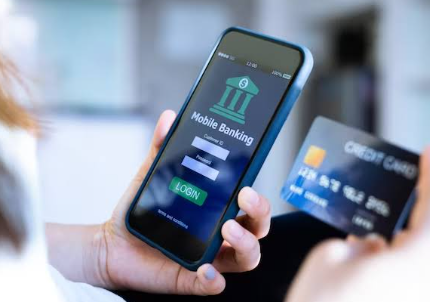

A bill is due while you’re between shifts. A friend has paid you back, but you want to check that the amount is credited. Maybe a paper check is still in your bag because getting to a nearby bank hasn’t been possible that day. These tasks may have to wait until you can use a computer or visit a branch. A mobile banking app solves this problem. It lets you check your balance and make payments from your phone itself. Look for features that make your everyday banking easier.
Banking Tasks You Can Manage Through a Mobile Banking App
A mobile banking app can make routine money tasks easier to handle without waiting for a branch visit. The sections below explain how app features such as transaction review, bill pay, transfers, check deposit, alerts, and security can fit into daily money management.
- Check What Came In and Went Out
Check your recent transactions to see where your money has gone and whether there are any charges you don’t recognise. Review pending payments as well as your available balance. Some payments may still be processing, so the balance shown may not include everything you have already spent.
- Pay Bills and Move Money
Many apps let you schedule one-time or recurring bill payments. Set a reminder, choose a date, and review upcoming transactions without searching through paper notices. For bills that change monthly, such as utilities, check the amount before scheduling.
A transfer after payday can move money from checking to a credit union savings account. Before scheduling it, check the delivery time and any limits. A transfer still processing won’t cover a payment due that evening.
- Deposit a Check From Your Phone
Mobile check deposit can save a trip when your institution offers it. Usually, you endorse the check, photograph both sides, enter the amount, and submit it through the app. Follow the institution’s instructions and keep the check until the deposit is confirmed.
A submitted deposit may not be ready to spend immediately. Check deposit limits and fund availability, especially if you need the money for rent or another payment due soon.
- Set Alerts That Matter to You
An alert can tell you when a deposit arrives, a payment posts, or a balance falls below a level you choose. Choose only those notifications that provide an answer to your actual question; otherwise, it is easy to ignore them.
You can also schedule regular transfers to a savings account. Transferring some money to an IRA account might help you build a reserve for your car repair or vacation.
- Make Security Part of the Routine
Lock your phone, use a unique banking password, and turn on available verification features. In case if a message or an email asks you to login to your banking site, open the app directly rather than click the provided link.
If your phone goes missing, contact your financial institution promptly. Review recent transactions on your credit union credit card and report anything you don’t recognize.
AHCU’s Mobile Banking App
Associated Healthcare Credit Union members can use AHCU’s Mobile Banking App to review account information, transfer funds, pay bills, set alerts, and deposit checks. Members must enroll in online banking before using mobile banking, mobile deposits, bill pay, or eStatements.
The app can help members keep tabs on different goals. IRA Accounts have separate retirement terms. Retirement planning for nurses may include reviewing employer benefits alongside personal savings.
FAQs
- Do I need online banking before using a mobile banking app?
It depends on the institution. AHCU members must enroll in online banking before using features such as check deposit, bill pay, or eStatements. Registration steps vary, so follow your bank or credit union’s instructions. For help, use its official website or phone number.
- Is a mobile check deposit available immediately?
Not necessarily. Confirmation that you submitted a check through the app does not mean the money is ready to spend. Check your credit union’s mobile deposit limits, daily cutoff time, and funds availability policy. If a payment is due today, confirm that the deposit is available before using it. Keep the paper check for the period your credit union requires, then follow its disposal instructions.
- What should I do about a transaction I don’t recognize on my credit union savings account?
First of all, check the details: the name of the merchant might differ from what you expected. However, in case of unfamiliar charges, contact your institution through its official app, website, or phone number. Do not provide your passwords or verification codes to anyone who contacts you. Your institution will explain the steps for disputing this transaction.
- Can a mobile banking app help me save regularly?
It can make regular saving easier to manage. Some apps let you schedule transfers, set balance alerts, or review savings activity besides checking. Choose an amount that leaves enough for bills and daily spending. For retirement, compare account types separately: an IRA account has different terms from an ordinary savings account.
See also: When Should Businesses Use IT Equipment Relocation Services?
Final Thoughts
A good mobile banking app should make small money tasks feel easier, not more complicated. Once you know how the app handles alerts, deposits, transfers, and payment timing, you can use it with confidence. For anything tied to a due date, take a moment to check the details first, so there are no surprises later. It also helps to review your transactions regularly.